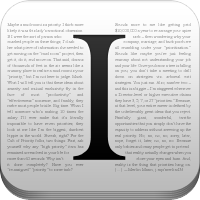
If you have any experience with iOS, you may be familiar with the app called Instapaper. The developer of that application has long stated that he was only interested in iOS for development. The developer had a change of heart and Instapaper is now available for Android devices. Granted, the development of the Android app was farmed out.
If you are familiar with the application from the iPhone, Instapaper is an app that allows you to save web pages for reading later. The web pages are saved off-line and optimized for readability on the tablet or smartphone screen. That means you can grab some stories from some your favorite websites while you’re at home, and then read them in office or you may not have access to data or Wi-Fi networks.
The core features of the app include the ability to save most web pages as text-only, stripping away the page layout. The fonts are adjustable along with text size, line spacing, and margins. The app also offers dark mode and brightness control for reading at night. The app is configured for automatic dark mode switching to change itself depending on the time of day. The app also offers rotation lock and allows you to share the stories you download with other people. The application is on Google Play right now in version 1.0 requires Android 2.2 or higher and costs $2.99.
FASTER AND SMARTER is what Android user want for browsing !!
Google answer it with realese officiall Google Chrome browse apps.
The user interface changes aren’t everything either. It’s also all about speed. The user experience and the feeling of a fast experience has all been improved. From pre-fetching pages, scrolling and zoom speeds, multitouch and more. It’s all much more fluid, simple, and last but not least — fast. Do take note that Adobe Flash is not supported.
Chrome for Android has introduced a new feature called “place shifting”. Users can migrate from their desktop, laptop or Chromebook over to their mobile phone or tablet and everything remains in place. The tabs you have open — including the current tab you were viewing can all be shifted to your mobile device. A seamless and easy user experience.
Obviously this is still in beta and was only released today but from our initial impressions it looks like an excellent start and will probably replace the stock ICS browser moving forward. Will later versions of Android come with Chrome instead? We think they will very soon. So far the bump in performance and the tabbed browser really has sealed the deal for me. Being able to drag the different tabs (cards) around and see a preview of each tab is awesome. You can even rearrange the tabs.
For now this is only for Android 4.0 Ice Cream Sandwich devices but we have a feeling more will see it soon — either officially or ported by developers. More details are available from the video and market link below.
 RSS Feed (xml)